Recommended Business Printers 2024: Featured Picks for Small Business
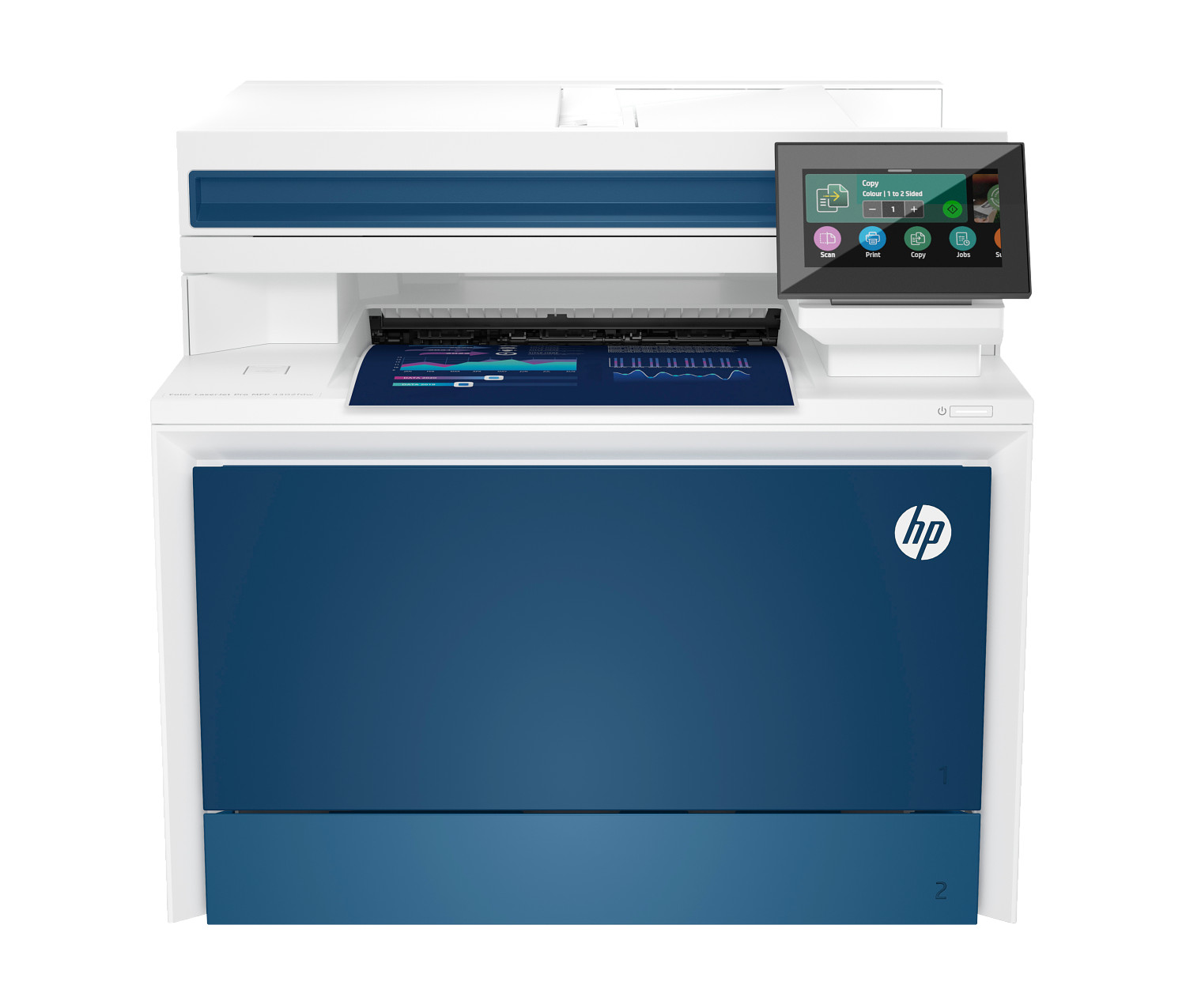
Recommended business printers 2024: Compare popular office printers for small business including laser printers, multifunction printers, and high-volume solutions.
Introduction to Business Printing Solutions
Choosing the right office printer for your small business is a decision that impacts daily productivity, operational costs, and document security. Whether you're running a startup from your home office or managing a busy office with multiple employees, selecting the appropriate printing solution requires careful consideration of your specific needs. This comprehensive guide helps you navigate the business printer landscape to find the ideal match for your organization.
Modern business printers offer capabilities that go far beyond basic printing. Today's multifunction printer models combine printing, scanning, copying, and faxing with advanced security features and cloud connectivity. Understanding these features helps you select equipment that enhances productivity while protecting sensitive business information.
The business printer market includes options ranging from compact home office solutions to enterprise-grade machines capable of handling thousands of pages per month. Both inkjet and laser printers serve business environments, each with distinct advantages depending on your printing patterns and output requirements. This guide explores all categories to help you make an informed decision.
What to Look for in a Business Printer
Choosing a quality office printer for small business requires balancing reliability, print speed, running costs, and security features. Modern business printers must handle high volume printing, offer network connectivity, and protect sensitive business documents. Understanding the key factors helps you evaluate options systematically.
Print Speed and Performance
Print speeds directly impact office productivity. Business laser printer models typically deliver 25-50+ pages per minute for text documents, significantly faster than most inkjet printer alternatives. For a busy office environment with multiple users sharing a single printer, higher pages per minute ratings prevent bottlenecks and frustration.
Consider both color and monochrome print speeds if your work involves mixed output. Color laser printers often print slower than monochrome mode, so evaluate speeds for your typical document mix. First-page-out time also matters—laser printer models need warm-up time from sleep mode, while inkjet printer options often deliver faster first pages.
Monthly Duty Cycle and Print Volume
Every office printer has a recommended monthly duty cycle measured in pages per month. Selecting a printer rated for your actual volume ensures reliability and longevity. Consistently exceeding the recommended pages per month leads to premature wear and increased maintenance costs.
For home office and light-use environments, printers rated for 2,000-5,000 pages per month typically suffice. Small offices with moderate printing needs should look for 10,000-20,000 page ratings. High volume environments like law firms or financial offices may require enterprise printers rated for 50,000+ pages per month.
Paper Handling Capabilities
Paper tray capacity determines how often you'll reload paper. Entry-level office printer models typically include a single paper tray holding 250 sheets. Business-focused models often offer 500+ sheet trays with options for additional paper tray modules accommodating different paper sizes or types.
Consider automatic duplex print capability as standard for business printing. Two-sided printing reduces paper consumption by up to 50%, lowering costs and environmental impact. Most business-class printers offer automatic duplexing, eliminating the need for manual page flipping.
Connectivity and Network Integration
Modern office printer models support multiple connectivity options for flexible integration. Wi-Fi connectivity enables wireless printing from any network-connected device. Ethernet ports provide stable wired connections preferred in many business environments. USB ports offer direct device connections when needed.
Cloud connectivity allows printing from mobile devices and remote locations. Integration with Google Cloud Print, AirPrint, and manufacturer mobile apps extends printing capabilities beyond the physical office. For distributed teams and remote workers, cloud-connected printers offer seamless printing regardless of location.
Featured Business Printer Categories for 2024
After extensive evaluation, our experts identified these recommended business printer categories:
Color Laser Multifunction Printers
Color laser printers with multifunction capability represent the workhorse category for business printing. These devices combine fast color output with advanced security features suitable for professional environments. Print quality rivals commercial printing for presentations, marketing materials, and client-facing documents.
Expect print speeds of 25-40 pages per minute for both color and monochrome output. High-capacity ink toner cartridges reduce cost per page for high volume printing, making color laser printers economical despite higher upfront costs. These models typically support paper sizes from letter to legal, with options for larger formats.
Professional Inkjet All-in-Ones
Business-class inkjet printer models have evolved significantly, now offering print speeds and print quality competitive with laser alternatives. These multifunction printer devices excel at versatile output, handling everything from text documents to color printing of photos and graphics with excellent results.
Modern business inkjets offer lower cost per page than many assume, particularly with high-yield ink cartridges or ink tank systems. For offices requiring occasional photo printing or color graphics alongside standard documents, professional inkjets provide flexibility that color laser printers cannot match.
Enterprise Laser for High Volume
For busy office environments with demanding printing requirements, enterprise-class laser printer models deliver unmatched speed and reliability. These machines handle 50,000+ pages per month with print speeds exceeding 50 pages per minute. Built for continuous operation, they minimize downtime in mission-critical environments.
Enterprise printers include comprehensive security features meeting compliance requirements for healthcare, finance, and legal industries. Managed print services integration, detailed usage reporting, and centralized fleet management capabilities make these printers ideal for larger organizations.
Enterprise-Grade Security Features
Modern business printers offer enterprise-grade security features essential for protecting sensitive documents and network infrastructure. Printer security has become a critical concern as connected devices represent potential entry points for cyber attacks. Understanding available protections helps you select appropriately secured equipment.
Firmware Security
Secure boot processes validate firmware integrity at startup, preventing compromised code from executing. Runtime intrusion detection continuously monitors for suspicious activity during operation. Self-healing capabilities enable automatic recovery from detected attacks, maintaining printer availability even under threat.
Document Security
Secure print release requires user authentication before documents print, preventing unauthorized access to sensitive materials. PIN codes, ID cards, or mobile authentication ensure only intended recipients retrieve confidential documents. This security features set is essential for offices handling private client information.
Data encryption protects print jobs during transmission and storage. Hard drive encryption secures documents cached on printer storage. Secure erase functions permanently delete data from printer memory, preventing recovery of sensitive information.
Network Protection
Network security features protect your infrastructure from printer-based attacks. Intrusion prevention, access controls, and encrypted communications safeguard your network. Regular security updates delivered over Wi-Fi address emerging threats and vulnerabilities.
Total Cost of Ownership for Business Printers
When evaluating office printer costs, consider the total cost of ownership beyond initial purchase price. Ink cartridges and ink toner represent the largest ongoing expense for most business printers. Understanding these costs helps you compare options accurately.
Cost Per Page Analysis
Calculate the cost per page by dividing cartridge price by rated page yield. Laser printer toner typically delivers lower cost per page for text documents, especially at high volume. Color printing costs more per page than monochrome, so evaluate based on your expected color vs. black ratio.
High-yield ink cartridges and ink toner provide better economics than standard capacity options. While the upfront cost is higher, the cost per page is significantly lower. For high volume printing, always choose high-yield supplies when available.
Reducing Operating Costs
Automatic duplex print reduces paper consumption by half, directly lowering supply costs. Ink subscription services offer predictable pricing and often discounts compared to retail ink cartridges purchases. Managed print services can optimize entire printer fleets for maximum efficiency and minimum cost.
Consider energy costs for printers that run continuously. Energy Star certified models consume less power during operation and sleep modes. For a busy office with multiple printers, energy efficiency contributes meaningful savings over equipment lifetime.
Recommendations by Business Type
Different businesses have different printing requirements. These recommendations help match printer capabilities to specific business needs:
Home Office and Freelancers
A compact multifunction printer with Wi-Fi connectivity serves most home office needs. Look for automatic duplex print, reasonable print speeds, and economical ink cartridges or toner. Models with ink subscription eligibility provide convenient supply management for solo professionals.
Small Offices (2-10 Employees)
Shared printing environments benefit from faster print speeds and larger paper tray capacity. Color laser printers or high-speed business inkjets handle the volume of small teams effectively. Network connectivity allows all team members to print wirelessly from their workstations.
Growing Businesses
Scalability matters as businesses expand. Select printers offer optional paper trays, additional memory, and accessories that grow with your needs. Security features become increasingly important as more employees access shared printing resources.
Busy Office Environments
A busy office with high volume printing demands enterprise-grade equipment. Fast print speeds measured in dozens of pages per minute, high-capacity paper tray options, and robust security features are essential. Consider managed print services for optimization and support of complex printing environments.