Scanner Buying Guide: Document Scanners vs Flatbed Scanners
Scanner buying guide 2024: Compare document scanners, flatbed scanners, and all-in-one printer scanners. Find the ideal scanner for home or office.
Introduction to Document Scanning
Document scanning has become essential for modern home office and business workflows. Converting physical documents to digital files enables easy storage, searching, sharing, and backup. Whether you're digitizing years of paperwork, scanning contracts for electronic signatures, or archiving family photos, the right scanner makes the process efficient and reliable.
The scanner market offers diverse options ranging from specialized document scanners to versatile multifunction printer models with integrated scanning. Understanding the differences between scanner types helps you choose equipment that matches your specific digitization needs and volume requirements.
This comprehensive guide covers scanner types, key features to evaluate, and recommendations for different use cases. By the end, you'll understand which scanning solution best serves your home office or business requirements.
Types of Scanners Explained
Choosing the right scanner depends on what you need to digitize and how frequently you'll use it:
Flatbed Scanners
Flatbed scanners feature a glass platen where you place items face-down for scanning. This design handles diverse materials including photos, book pages, magazines, and delicate documents that can't go through feeders. High-resolution optical sensors capture fine detail suitable for photo reproduction and archival quality digitization.
The flat scanning surface accommodates irregularly shaped items and fragile materials. Bound books can be scanned without unbinding. Photo scanning achieves excellent quality with proper resolution settings. However, flatbed scanning is slow for multiple pages since each item must be placed manually.
Document Scanners with ADF
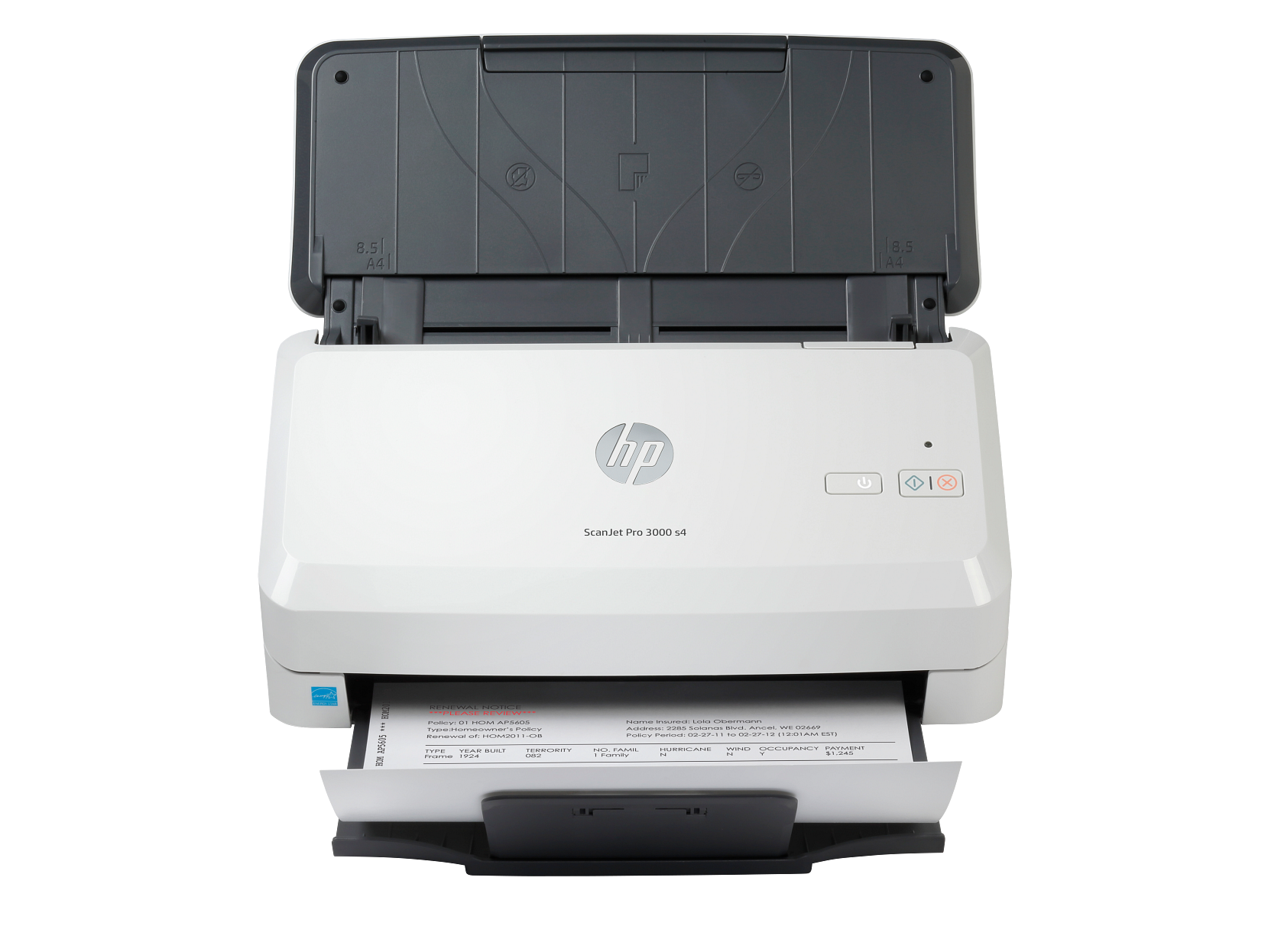
Automatic Document Feeder (ADF) scanners rapidly digitize stacks of documents without manual intervention. Sheet-fed designs pull pages through the scanner one at a time, enabling batch processing of dozens or hundreds of pages unattended. These scanners prioritize speed and volume over maximum image quality.
Document scanners typically offer duplex print-equivalent duplex scanning—capturing both sides simultaneously. This doubles efficiency for two-sided documents. High volume models with 50+ sheet feeders serve busy office environments processing significant daily paperwork.
All-in-One Printer Scanners
Multifunction printer models combine scanning with printing, copying, and sometimes faxing. For home office users with moderate scanning needs, these all-in-ones provide convenient scanning capability without dedicated equipment. Most include both flatbed and ADF scanning modes.
All-in-one scanners integrate well with mobile apps and cloud services. Scan to email, cloud storage, or network folders directly from the device. Wi-Fi connectivity enables scanning from the device itself without computer intervention. These versatile machines suit users who need occasional scanning alongside regular printing.
Portable Scanners
Compact, lightweight scanners enable scanning on the go. Battery-powered models scan documents, receipts, and business cards anywhere. These are ideal for travelers, field workers, and anyone needing mobile digitization capability.
Portable scanners sacrifice speed and capacity for portability. Most scan one sheet at a time with manual feeding. Quality is adequate for documents but typically insufficient for photo archiving. Consider these for specific mobile needs rather than primary scanning duties.
Key Scanner Features to Consider
Evaluating scanner specifications helps compare options effectively:
Resolution (DPI)
Optical resolution measured in dots per inch determines detail capture capability. For documents, 300 DPI provides excellent quality with readable text and clear graphics. Photo scanning benefits from 600-1200+ DPI for reproduction and enlargement purposes. Higher resolution scans create larger files, so match resolution to actual needs.
Scanning Speed
Speed measured in pages per minute (ppm) or images per minute (ipm) indicates throughput. Document scanners range from 15-25 ppm for personal models to 80+ ppm for enterprise equipment. Duplex scanning effectively doubles throughput for two-sided documents. For high volume scanning, speed significantly impacts productivity.
Automatic Document Feeder Capacity
ADF capacity determines how many pages can be loaded at once. Personal document scanners typically hold 20-50 sheets. Business models accommodate 100+ sheets for extended unattended scanning. Larger capacity reduces reload frequency during batch scanning sessions.
Duplex Scanning
Duplex scanning captures both sides of documents in a single pass. Single-pass duplex uses sensors on both sides for maximum speed. Two-pass duplex scans one side, reverses the page, then scans the other—slower but still faster than manual flipping. For two-sided documents, duplex capability is essential.
OCR Software
Optical Character Recognition (OCR) converts scanned images to searchable, editable text. Quality OCR software accurately recognizes text even from challenging sources. Look for bundled OCR software or compatibility with third-party solutions. Searchable PDFs make document retrieval dramatically faster than image-only scans.
Connectivity Options
Wi-Fi connectivity enables wireless scanning to network destinations. USB provides reliable direct connection to computers. Some scanners offer Ethernet for business network integration. Cloud connectivity allows direct scanning to services like Google Drive, Dropbox, and OneDrive.
Recommended Scanners by Use Case
Match scanner capabilities to your specific scanning needs:
Home Office
A multifunction printer with 35+ sheet ADF and duplex scanning handles typical home office scanning needs. Integrated printing capability eliminates the need for separate devices. Look for good mobile app support for convenient scan-to-cloud workflows. This versatile approach suits most remote workers and home businesses.
Photo Scanning
High-resolution flatbed scanners deliver the quality needed for photo digitization. Look for optical resolutions of 600-1200+ DPI and color depth of 48-bit for best results. Photo-focused models include specialized features like dust and scratch removal. Consider scanning services for large photo collections if purchasing dedicated equipment isn't justified.
Business Documents
Busy office environments benefit from dedicated document scanners with high-capacity ADFs, fast print speeds, and robust daily duty cycles. Enterprise models handle thousands of pages per month reliably. Features like advanced image processing, barcode recognition, and enterprise software integration enhance workflow efficiency.
Receipts and Cards
Portable scanners handle receipts, business cards, and small documents efficiently. Expense management software integration streamlines receipt digitization. Smartphone apps provide another option for occasional receipt scanning without dedicated hardware.
Mobile App Scanning Features
Your printer's mobile app transforms your multifunction printer into a powerful scanning solution with capabilities including:
- Scan to cloud storage - Direct saving to Google Drive, Dropbox, OneDrive
- Scan to email - Send documents directly without computer intervention
- Mobile device saving - Store scans on your smartphone or tablet
- Automatic organization - File naming and folder organization features
- OCR processing - Convert scans to searchable documents
- Multi-page documents - Combine multiple scans into single files
The convenience of mobile-controlled scanning makes multifunction printer scanners highly practical for home office environments. Wi-Fi connectivity enables scanning directly from the device panel or remotely via app.